
Info-Only Items: Add Reference Items to Quotes without Quantities or Pricing
By Andrew Hemphill · 25 January 2026
Sometimes you need to reference items on a customer quote without charging for them or including them in your kitchen operations. Perhaps you’re noting that a venue provides certain equipment, you want to list items the customer is supplying themselves, or you’re offering a bar tab with available beverages listed for reference. The new Info only feature lets you do exactly that — display no-charge reference items on quotes that won’t appear in any dockets, reports, or menus.
How It Works
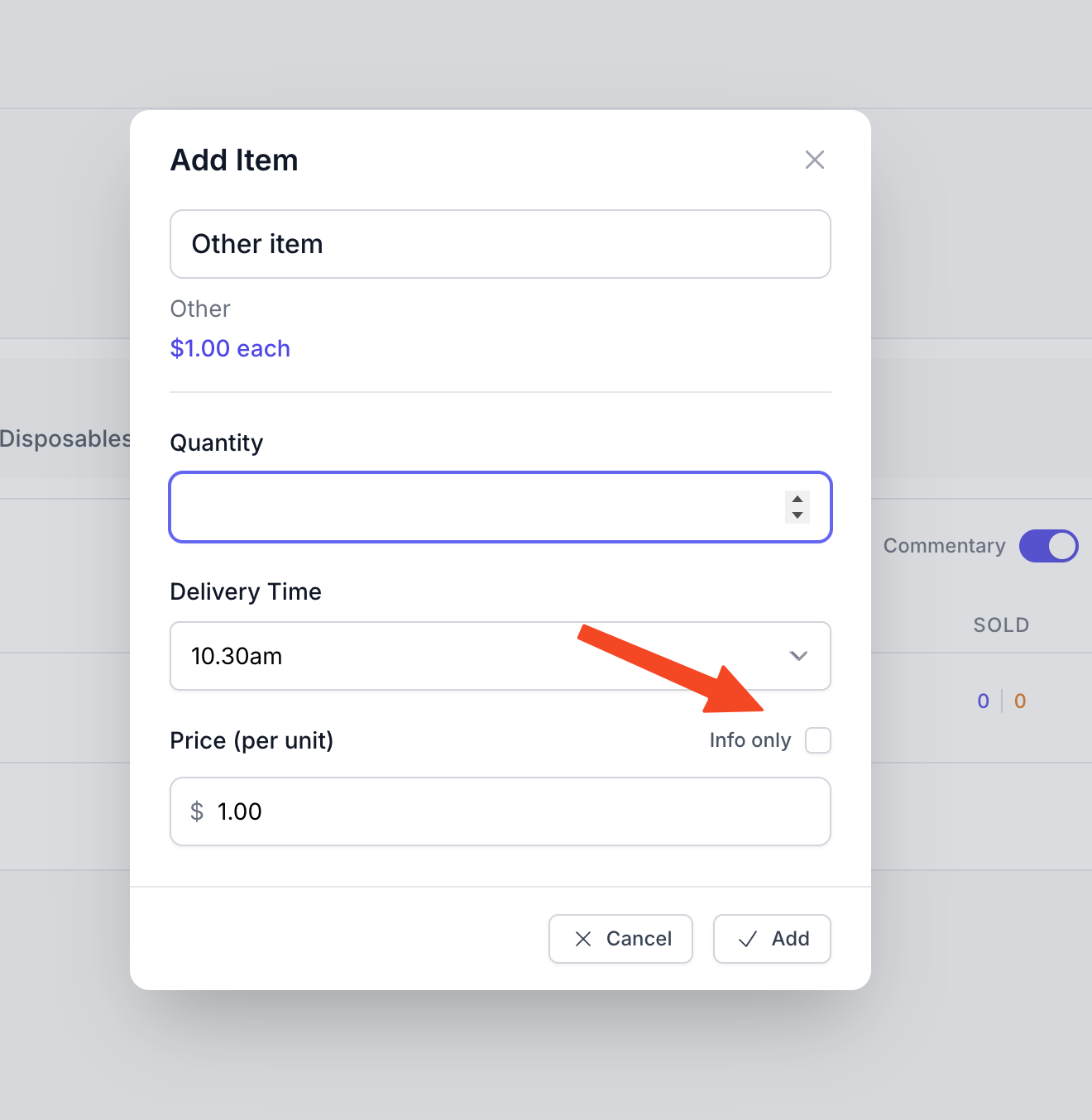
When adding or editing an item on a quote, you’ll now see an “Info only” checkbox in the item modal. Simply tick this box, and the item will be marked as informational only. The quantity field disappears when you enable this option, as info-only items don’t have quantities — they’re purely for reference.
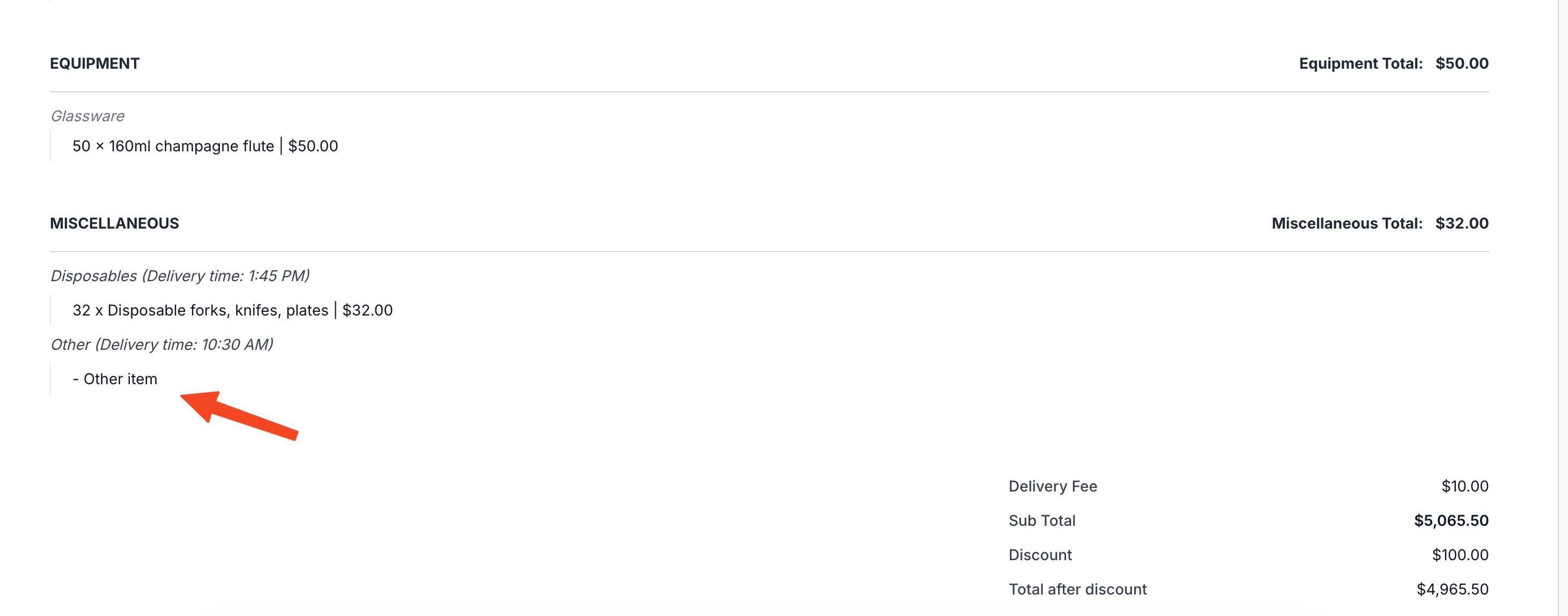
On the customer quote, info-only items appear with a distinctive dash prefix (e.g., “- Other item”) instead of a quantity and price. This makes it immediately clear to both you and your customer that these items are for reference only and won’t be included in the order total.
Where Info-Only Items Appear
Info-only items are designed to be visible to customers whilst staying completely out of your operational workflow:
- Customer quotes (HTML and PDF) — Items appear with a dash prefix and no pricing
-
Order editing — Items persist when you edit orders, maintaining their info-only status
Where They Don’t Appear
Info-only items are automatically filtered out from all operational views to keep your kitchen and delivery teams focused on what they actually need to prepare and deliver:
- All dockets — Chef, beverage, driver, and equipment dockets exclude info-only items
- Consolidated reports — Summary, production, and item reports filter them out
- Customer menus — Both HTML and PDF menu views exclude info-only items
- Driver run sheets — Desktop and mobile driver views don’t show info-only items
- Driver delivery cards — The mobile driver interface excludes them from delivery details
Common Use Cases
Here are some practical scenarios where info-only items prove invaluable:
- Venue-provided items — Note that the venue is supplying tables, chairs, or serving equipment without it appearing in your kitchen dockets
- Customer-supplied items — Reference items the customer is bringing themselves, like a birthday cake or special decorations
- Bar tab beverages — When offering a bar tab, list the available beverages for customer reference without including them in your beverage dockets or reports
- Optional items — List items that might be added later, giving customers visibility of possibilities without committing to preparation
- Reference notes — Include contextual information about the event that you want visible on the quote but not in operational documents
Getting Started
The info-only items feature is available now on all quotes. Simply look for the “Info only” checkbox when adding items to your next quote. The feature works seamlessly with your existing workflow — no training or setup required.
We designed this feature to be intuitive and unobtrusive, appearing only when you need it whilst staying completely out of your operational processes. As always, if you have questions or suggestions for improvements, we’re here to help.